 ClarityStudy
Stop studying. Start being taught.
Forty pages of slides, exam in two days. ClarityStudy reads them, builds your sessions, and teaches you what you’re actually missing.
Free to start. On iPhone, iPad and the web.
Rereading feels productive.It changes nothing.
ClarityStudy is built to find what you do not know and make you do something about it.
The plan
Your plan rewrites itself
Most study apps make you a schedule and walk away. ClarityStudy keeps watching, and changes when you do.
It watches how you work
What you score, which formats you finish, where you slow down.
Same file, different plan
Two students upload the same slides and get two different weeks, each taught their own way.
Your pace, not ours
Fly through what you know. Slow down where you don't.
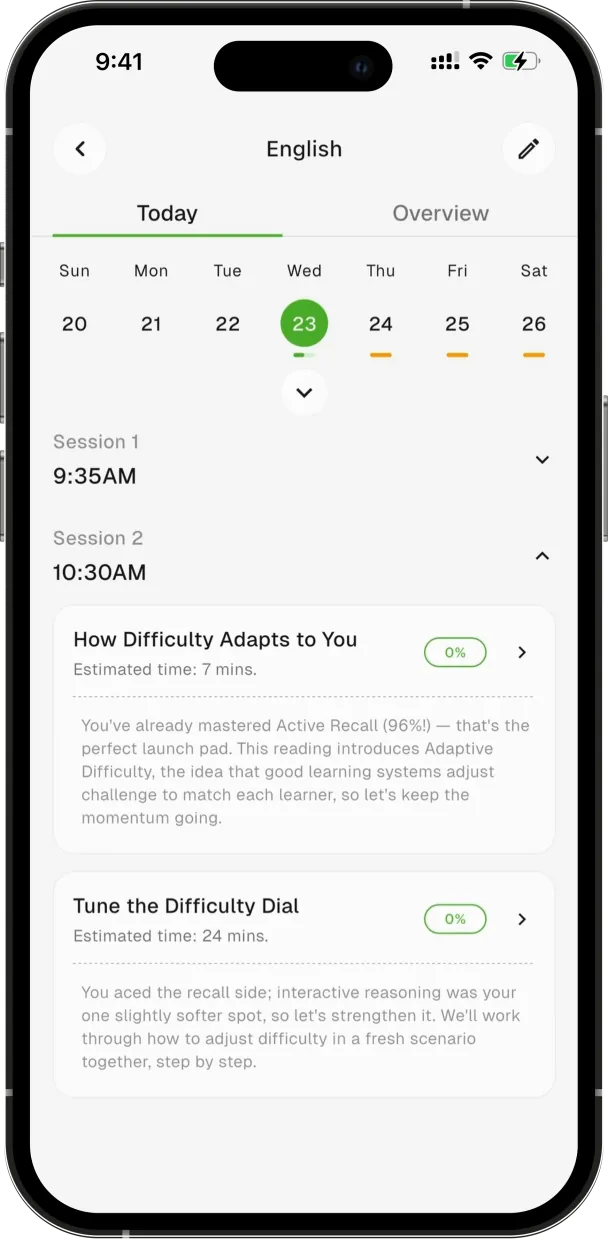
Tuesday 9am is booked. What happens in it isn't.
The slot is on your calendar. The content gets written after Monday.
When it goes wrong
Get it wrong and it comes back at exactly that
Score low and the next session goes straight back to what you missed. Score high and it pushes you further. You never have to ask.
Inside a session
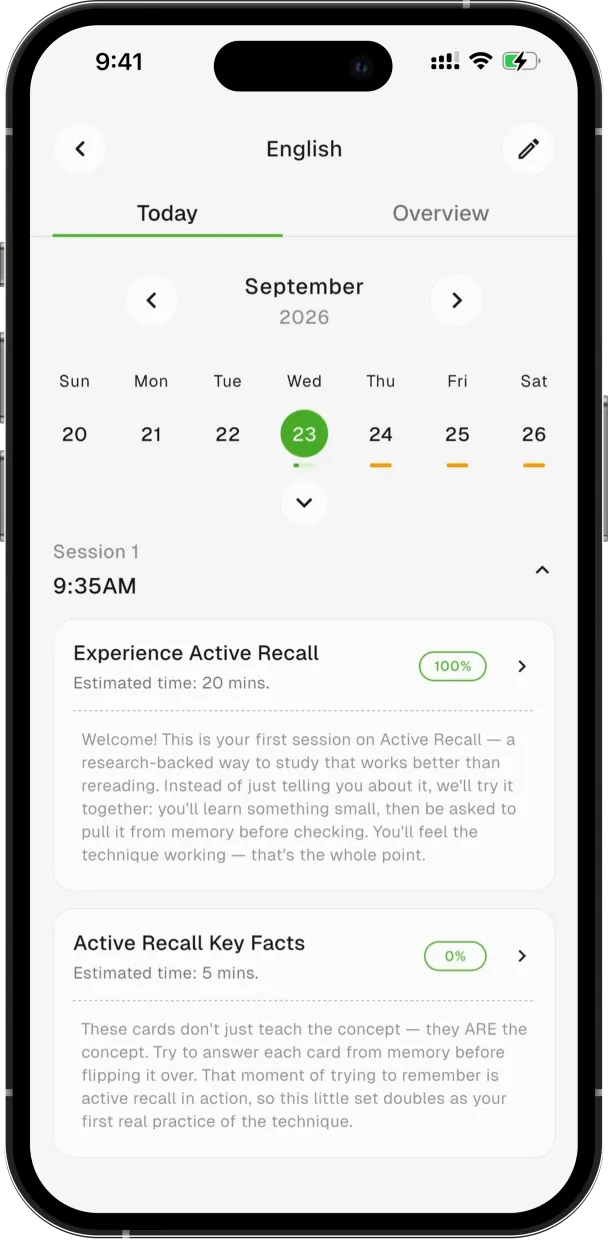
Six kinds of task, sized to where you are
No fixed size. How much you get depends on where you are and how fast you're going. ClarityStudy picks the mix and the order.
- Reading
- Flashcards
- Quiz
- Slides
- Explainer video
- Live session with Claire
The tutor
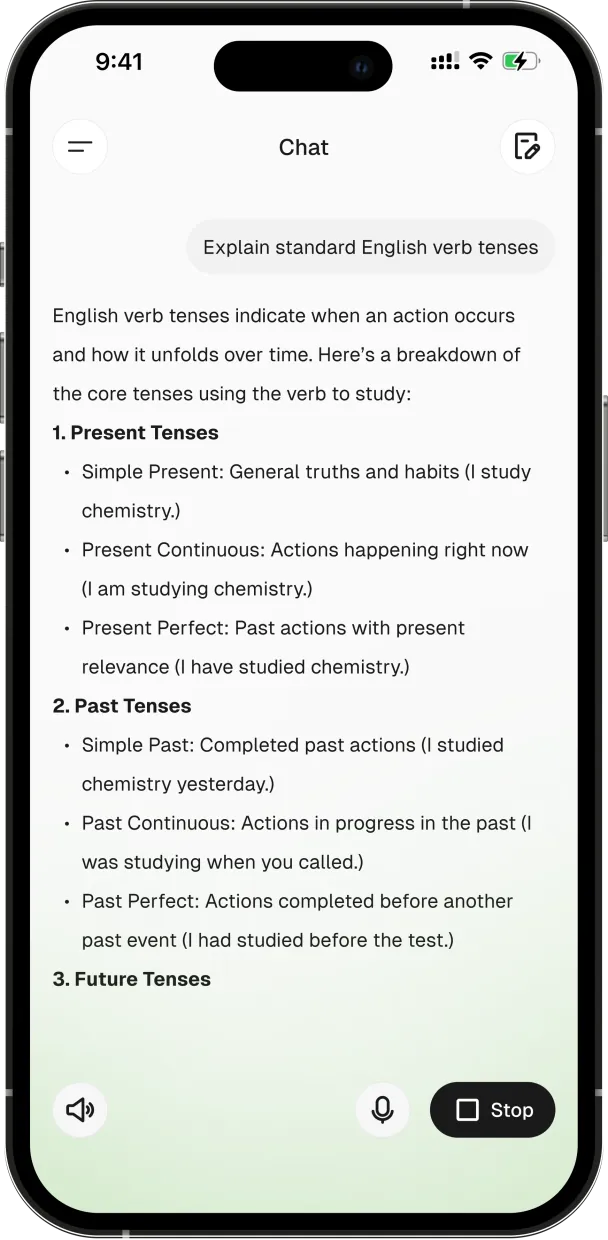
Stuck? It stops quizzing and starts teaching
Miss enough and Claire sits down with you. Type in the library, talk on the bus, switch mid-sentence. Interrupt her and she stops.
See what it makes of your first lecture.
Free to start. iPhone, iPad and web.
Every screen
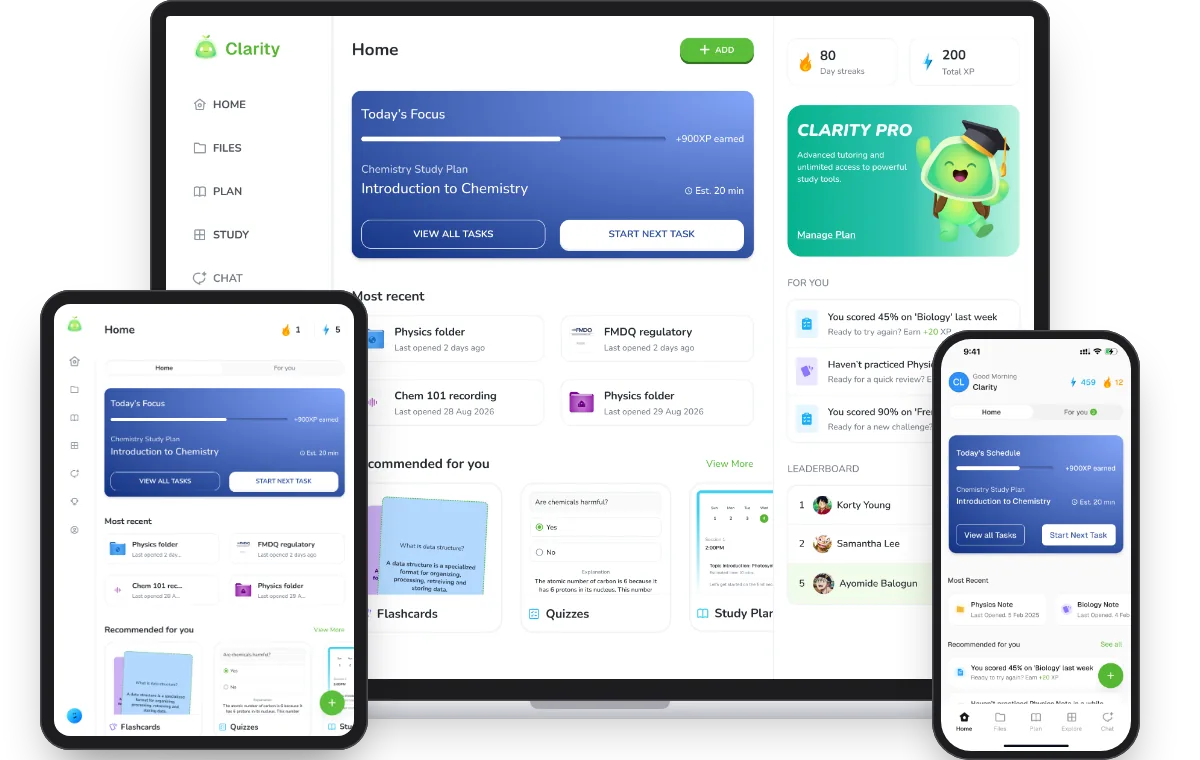
Start on your phone, finish on your laptop
iPhone, iPad or any browser. Sign in with the same account and your plan, files and progress are already there.
- iPhone
- iPad
- Web
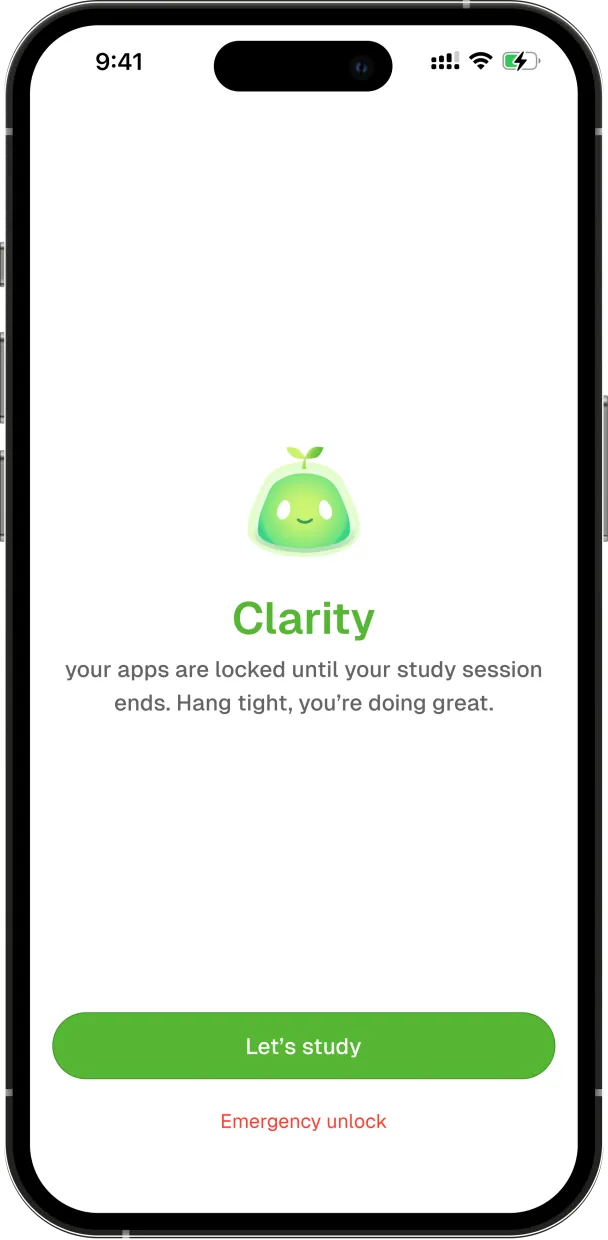
Focus sessions
Your phone goes quiet while you work
Pick the apps that ruin your studying. During a session they do not open. Session ends, they come back. Nothing to remember, nothing to resist.
Uses Apple Screen Time, so it works in the iPhone and iPad app: a website cannot do this. You can end a session early whenever you need to.
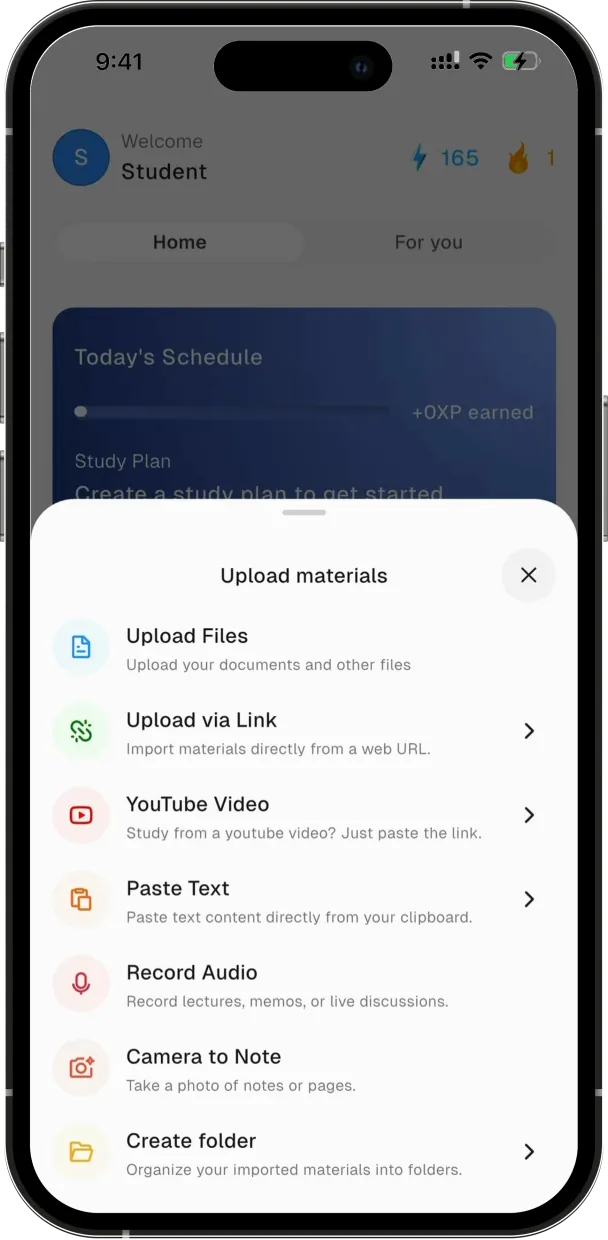
What goes in
Bring it all, then pick one topic
Drop in the file and ClarityStudy finds the topics inside. Study one, a few or all of them, and never reread sixty pages to fix one thing.
- PowerPoint
- Word
- Audio
- Video
- Web links
- YouTube video
- YouTube playlist
- Record in the app
- Scan pages into one document
- Paste text
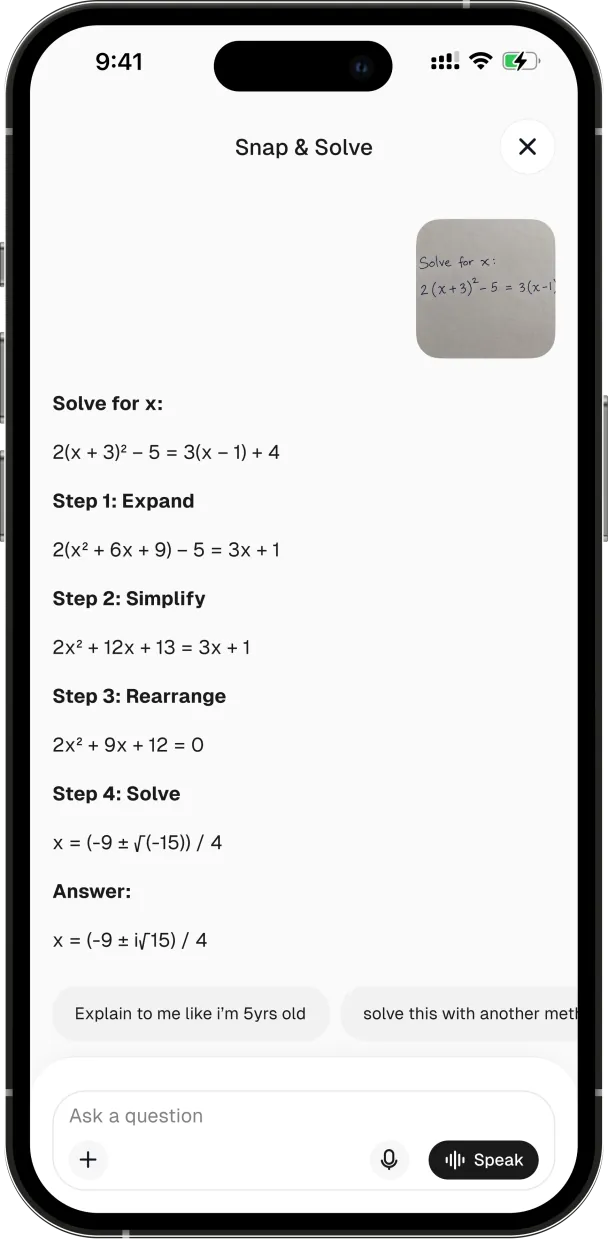
Two more ways in
Snap the question, or let two voices talk it through
Stuck on one problem? Snap it and Claire works through it step by step, out loud if you like. Got a whole lecture? Get an audio recap: two voices talking it through while you walk.
Slides & videos
A video that stops to check you got it
Turn any topic into a slide deck, or a narrated video with a chapter for every slide. At each checkpoint it pauses and quizzes you before moving on.
Your next session is not written yet.
Free to start. iPhone, iPad and web.
Progress
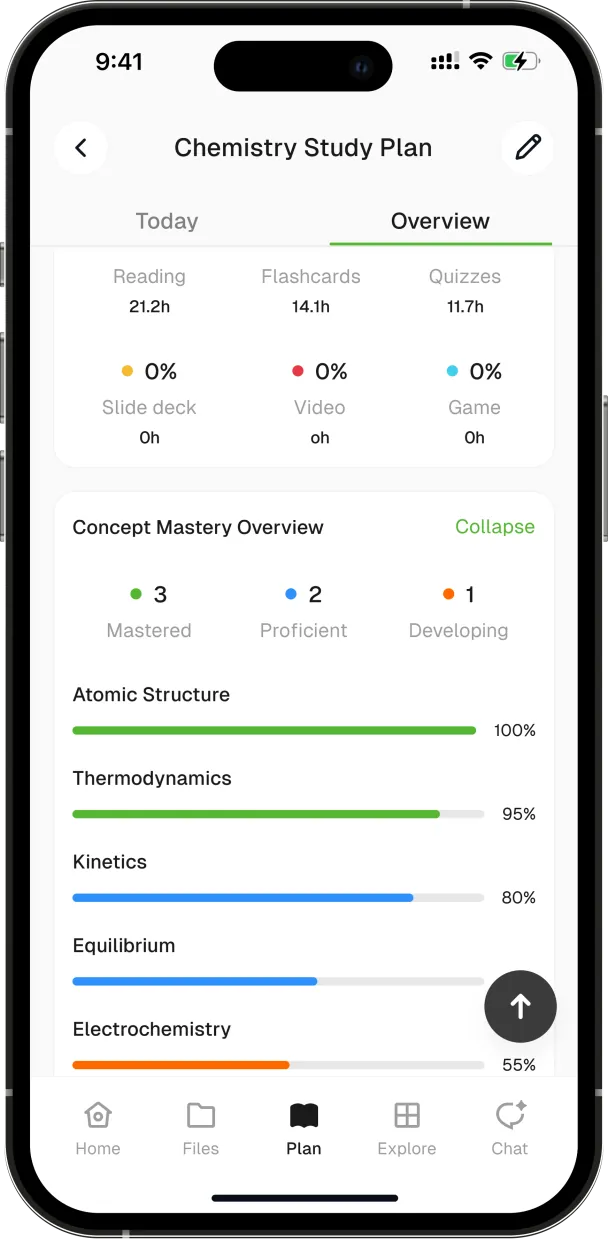
Concept by concept, not a single grade
Every concept climbs from Developing to Proficient to Mastered as you work. See if you are on pace for the deadline and where your time went. Streaks, XP and a leaderboard for the days you need a push.
Seen on TikTok
Students on TikTok
Creators we've partnered with, in their own words.
Questions people actually ask
Is this a cheating tool?
No. ClarityStudy is built to make you do the work, not skip it: it schedules you, tests you, and comes back at what you got wrong. When you photograph a problem it walks you through the steps rather than handing over an answer, and every quiz question links back to the page in your own material it came from.
Is Claire a real person?
No. Claire is an AI tutor. She speaks and types, and she is built from your own uploaded material, but there is no human on the other end of the conversation.
What does Screen Time access let you see, and how do I end a session early?
Focus sessions use Apple Screen Time to stop the apps you choose from opening while a session is running. You pick which apps. Sessions end on their own, and there is an emergency unlock in settings if you need out before then.
Is this just ChatGPT with a calendar?
A general chatbot answers what you ask. ClarityStudy decides what you should be doing next, from the material you gave it, and changes that decision after it sees how the last session went. The calendar is the visible part; the deciding is the product.
Does it work on iPad and on my laptop?
Yes. ClarityStudy is on iPhone and iPad, and the web app runs in any browser, including on an Android phone or a laptop. It is one account, so your plan, files and progress follow you. Focus sessions are the exception: blocking apps needs Apple Screen Time, so it only works in the iPhone and iPad app.
Do you train on my lecture slides?
Your material is used to generate your own study content. See the privacy policy for exactly what is stored and for how long.
Upload the slides. See what it makes of them.
Free to start. iPhone, iPad and web.